
Free Photoshop Tutorials!
Scroll through the list of free Photoshop tutorials at your leisure. Visit frequently as this list is ever-changing.
Beginner Post Processing Tutorials
Designed for those who are just starting out with photo post processing. However, even the seasoned pro can learn something new here.
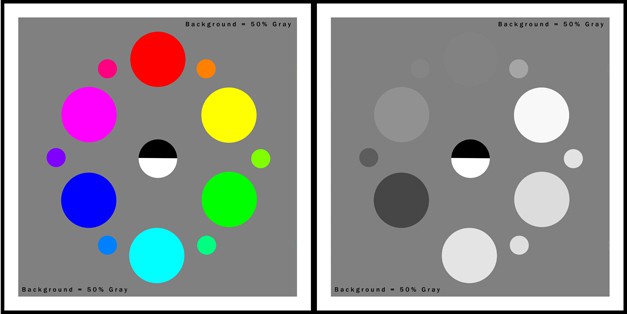
Black + White + HDR = High Dynamic Contrast!
There are many ways to convert to black and white with the 5 billion photo programs out there. They are very easy to do and most of the time consist of the click of a button. With one swoop of the mouse and a click you become the king or queen of desaturation....
Intermediate Post Processing Tutorials
For those who already know a trick or two in Photoshop and want to learn a bit more.

How to Clean Your Camera Sensor
Do not be intimidated, clean your camera sensor with ease! httpv://youtu.be/e0Jc3AmJEM0 I can remember the first time I realized I needed to clean my camera sensor. I was on a mini vacation with my wife, and I was shooting her glowing, radiant, and very pregnant...
How to use the Select and Mask Tool in Photoshop
Making great masks with the Select and Mask Tool in Photoshop With the new Photoshop CC 2015.5 upgrade, Refine Edge is now called Select and Mask. I thin this is a much more suitable name for the tool as "Refine Edge" may have been misleading to some. The new Select...
Noise Reduction Like a Pro
ACR Noise Reduction + Blend If = Awesome! There are many ways to do the same things in Photoshop, why would Noise Reduction be any different? From Adobe Camera Raw to the Reduce Noise filter there are several options for getting rid of those pesky High ISO...
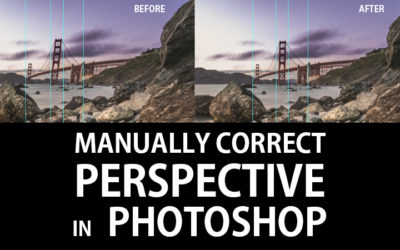
Manual Perspective Correction in Photoshop
When everything else just won't work, resort to manual Perspective Correction in Photoshop There are times when Manual Perspective Correction in Photoshop is a must. Typically, these are times when you have exhausted all other measures and the only way to fix warped...

Blending Photos with Blend If
Blend with Blend If I have done quite a few tutorials about the powerful tool, Blend If. I have shown many technical ways to use it, from Noise Reduction and Sharpening to the basics and better vignettes, but I have yet to show you how to use it in a creative way....
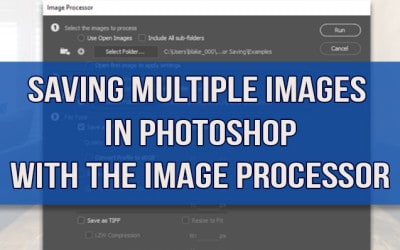
Saving Multiple Images Automatically in Photoshop
Saving Multiple Images in Photoshop with Scripts: The Easy Button Last week, I did a photo shoot with an interior designer and friend of mine here in Kansas City. The house was gorgeous which made all of the shooting very easy for me thanks to the work of Studio...

Distraction Removal: Marquee Selections in Photoshop
Sometimes a Marquee Selection is better than a Clone Stamp Every once in a while you come across a tricky distraction in a photograph that throws off the whole shot. In the example image today, there is a giant toolbox in the lower left-hand side of the image that is...

The Photo Compositor’s Video Library
Photo composites made simple with a treasure trove of information! Last Saturday, I did a webinar hosted by the Photoshop and Lightroom Facebook Group with Andrew Kavanagh. In this webinar, I discussed "Understanding Layers for Photo Composites". I went into this...
How to make an Animated Gif in Photoshop
An Animated Gif in Photoshop is so much fun to make! While they may seem like a daunting task it is rather easy to make an animated GIF in Photoshop. You have probably seen animated GIFs around. They were big in the late 90's when the Dancing Baby appeared all over...

How to use Tone Mapping in Adobe Camera Raw
Tone Mapping in Adobe Camera Raw... Really? In Photoshop CC you can use Adobe Camera Raw as a filter (Photoshop CC users only, I apologize in advance CS6er's) and if you are creative enough with it you can do some tone mapping. This may sound odd as Adobe Camera Raw...
Compressed vs Uncompressed Raw Files
To be compressed or uncompressed raw files that is the question! Sony recently announced their uncompressed Raw files for their Alpha 7 line. Traditionally Raw files have been formatted with a Loss-less compression. This is a way to compress a file but not lose any...
The Lighten Blend Mode
The Lighten Blend Mode and the Sea of a Million Waves! A few weeks ago I conducted a tutorial showing off the various Blend Modes in Photoshop, but I hesitated to get too far into the Lighten Blend Mode. The Lighten Blend Mode can be a powerful asset in photo post...

Blend Modes in Photoshop CC
Unleash Incredible Power with Blend Modes in Photoshop While that may sound like an epic headline for a less than interesting topic, Blend Modes in Photoshop will do many things for your images. Blend Modes increase workflow efficiency by making difficult tasks...
Color Matching in Photoshop
Color Matching - Color Grading I recently received an email from Wayne, an EverydayHDR subscriber, asking me about Color Matching the palette of one photo and applying it to another. Here is his inquiry: It has me wondering if there is some way to take a colour...

Watermarks in Photoshop with Brushes
Non Obtrusive Brush Style Watermarks in Photoshop We have all seen those horribly gaudy watermarks on images that distract and most times destroy your viewing experience. Do a quick Google crawl on the Images tab for the words "watermark on photo". You will see...

5 Ways Blend If will Blow Your Mind!
Blend If to the creative rescue! The first Bonus video for the Zone Systems Master Class is all about Blend If. One of the big new updates in the upcoming Zone Systems Course is the use of "Blend If" options. These are stuck in the Layer Styles of any layer and are...
Advanced Post Processing Tutorials
While the title says “Advanced”, this category is for anyone who wants advance themselves further in photo post processing. While these tutorials are not for the Faint of Heart, they are taught to a level anyone who is willing can understand.
No Results Found
The page you requested could not be found. Try refining your search, or use the navigation above to locate the post.